Veltrixy
Luma Library
Luma Library
Couldn't load pickup availability
Self-paced learning overview
- 🧾 Digital file available after purchase
- 🗂️ Long-term availability
- 🔐 Secure checkout
- 📌 Content updated in 2026
1. Problem Statement
Struggling to understand how separate cybersecurity details connect inside real digital situations? You’re not alone. At this stage, learners may already know basic concepts, but many questions can still appear during situation review. Data, messages, digital traces, privacy, behavioral signs, and technical context may overlap. Because of that, it can be difficult to understand which details should be reviewed first and which ones need additional checking. Luma Library was created so learning materials can help learners see the situation more broadly without scattered presentation.
2. Solution
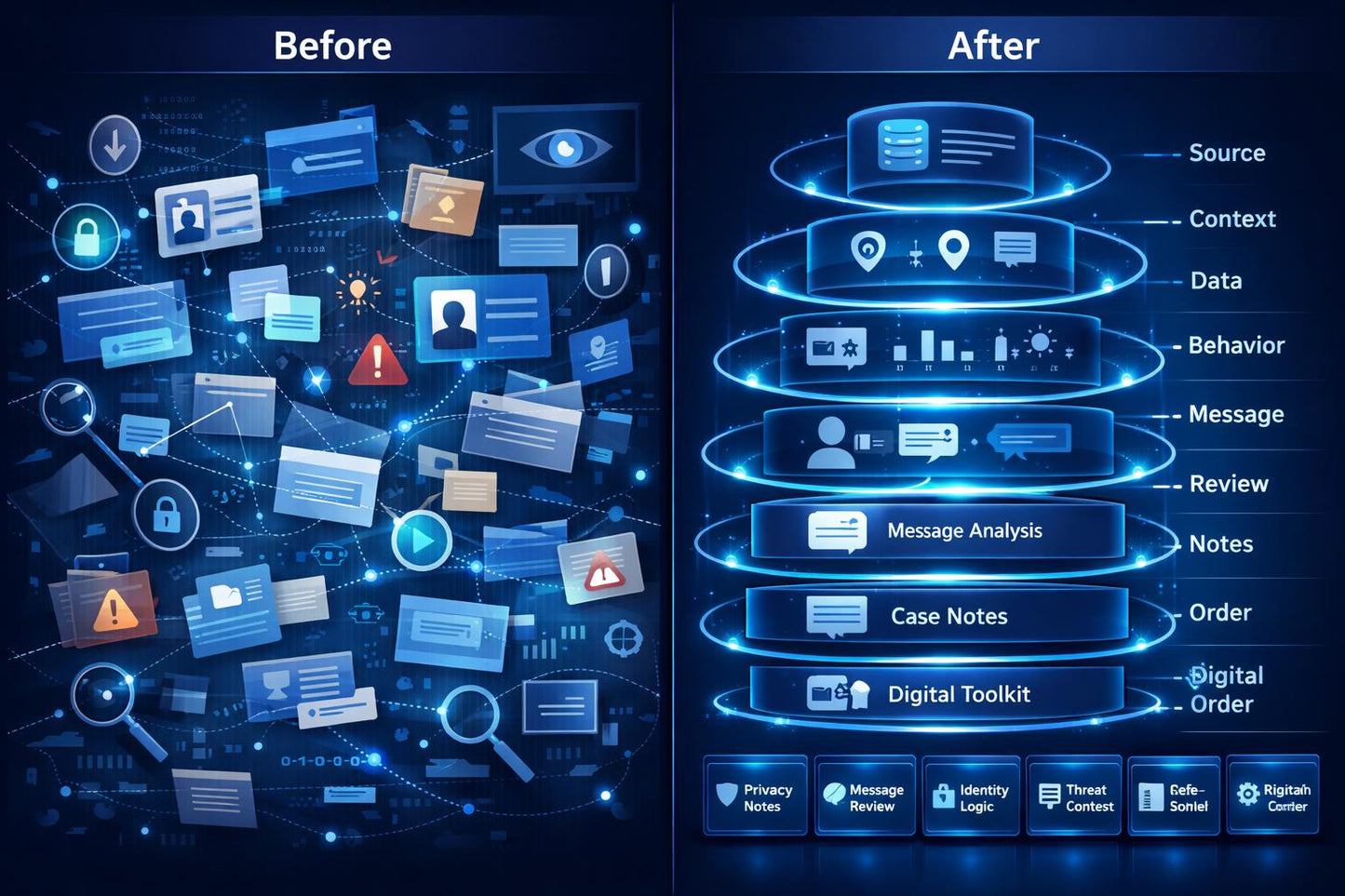
This library will teach you how to study cybersecurity scenarios through layered observation, structured notes, and careful review. Luma Library helps learners view digital situations not as random signs, but as a sequence of connected elements. This tariff combines topic sections, learning scenarios, review notes, checklists, and reference blocks. The materials are presented so learners can return to complex topics and compare them with each other. This format suits those who want to develop attention to detail within cybersecurity learning.
3. What’s Inside
- Module 1: Luma Topic Map — learners explore the library structure: main sections, topic flow, materials for repetition, and an approach to situation review.
- Module 2: Observation Layers — this module explains how to view a digital situation through several layers: source, context, data, behavior, message content, expected action, and possible weak areas.
- Module 3: Privacy and Data Notes — a section about privacy, personal data, digital traces, material storage, and careful handling of information in learning and everyday scenarios.
- Module 4: Message and File Review — learners review examples connected with messages, attachments, files, forms, and requests without mentioning third-party programs or platforms.
- Module 5: Identity and Account Logic — this module explains how accounts, identity, settings, sign-in recovery, and digital habits form the wider security picture.
- Module 6: Threat Context Reading — learners study risky scenarios through context: why the situation appeared, which data is involved, which signs repeat, and what needs attention.
- Module 7: Structured Case Notes — a practical block with note templates for situation review: what happened, which details are visible, which data may matter, and which actions should be checked.
- Module 8: Learning Reflection Shelf — a repetition section: short questions after topics, space for personal conclusions, a list of concepts, and materials for returning to complex blocks.
- Module 9: Digital Order Toolkit — a set of learning resources for organizing materials, personal notes, checklists, and examples so learners can keep their study base in a convenient structure.
- Module 10: Next Study Compass — the closing module helps learners identify further study topics: threat analysis, privacy, data organization, network fundamentals, or scenario work.
4. Who is this for?
✅ Good for you if you have already worked with basic and intermediate cybersecurity topics.
✅ Good for you if you need a broader library of scenarios, notes, checklists, and reference materials.
✅ Good for you if you want to analyze digital situations more carefully through layers.
✅ Good for you if you value structured presentation and the ability to return to materials for repetition.
❌ Not for you if you are looking for a short introductory set without detailed content.
❌ Not for you if you need materials tied to specific third-party programs, platforms, or operating systems.
5. What You’ll Learn
- How to view a digital situation through several connected layers.
- How to review source, context, data, message, and expected action.
- How to work with privacy, digital traces, and information storage topics.
- How to examine learning examples with messages, files, forms, and requests.
- How to connect accounts, identity, and digital habits into one picture.
- How to read risky scenarios through context and repeated signs.
- How to keep structured notes for situation review.
- How to use checklists, reference blocks, and materials for repetition.
- How to keep your Veltrixy learning base organized.
- How to choose the next direction for further study.
6. 30-Day Review Policy
Luma Library may follow a 30-day refund period according to the Veltrixy store terms. Return conditions depend on the format of the materials, the way the tariff is received, and the information shown during checkout. Before placing an order, learners should review the tariff description, module list, library contents, learning resources, and return page. Veltrixy presents these terms openly so learners can review them before purchasing.
1. Who are Veltrixy courses created for?
1. Who are Veltrixy courses created for?
Veltrixy courses are created for people who want to study cybersecurity through structured materials, clear explanations, and practical learning scenarios.
2. Do I need previous cybersecurity experience?
2. Do I need previous cybersecurity experience?
For starter tariffs, previous experience is not required. The materials are presented step by step, so learners can gradually become familiar with terms, approaches, and basic principles of digital protection.
3. What is included in the learning materials?
3. What is included in the learning materials?
Depending on the tariff, learners receive modules, text explanations, practical tasks, checklists, example situations, and learning resources for independent study.
Share